How ParkAhead works
A short walkthrough for both sides of the marketplace.
1
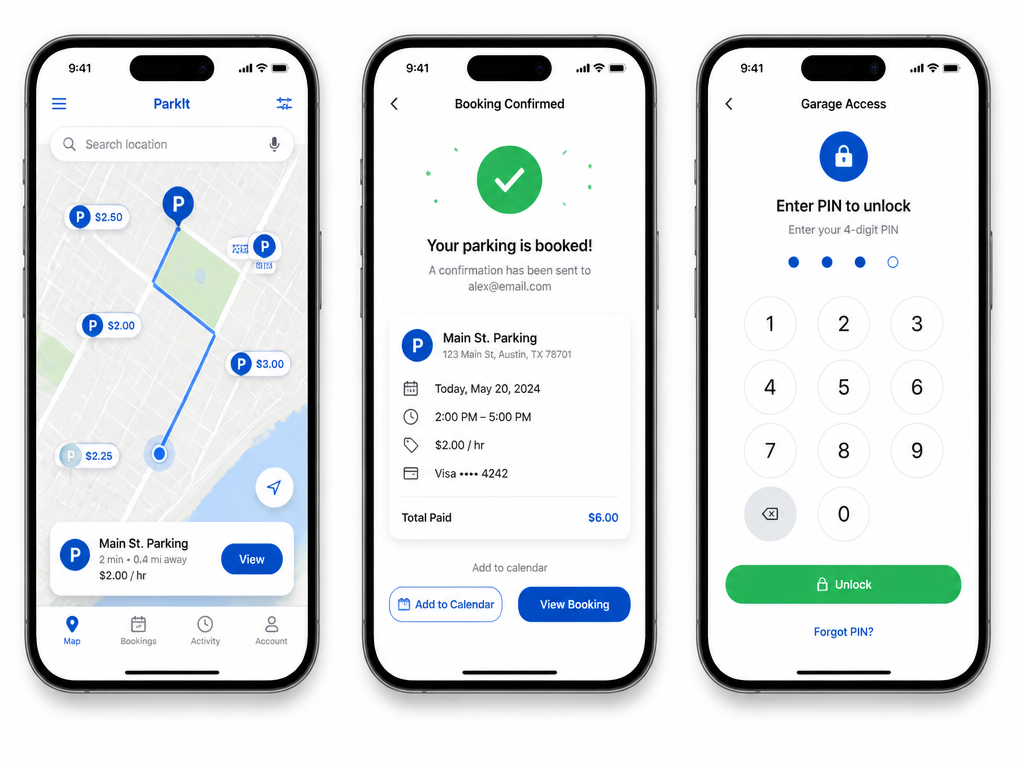
Open the map
The Map tab shows parking lots near you. Allow location access to center the map on your position.
2
Find a spot nearby
Tap "Parking near me" to highlight every lot within 500 m. Tap any pin to see photos, rates, hours, and status.
3
Book a spot
Pick your start and end time, confirm, and your booking appears in the Bookings tab.
4
Open the barrier
Use your PIN or QR at the gate — no need to talk to anyone.
5
Rate your stay
After you leave, rate the parking so other drivers know what to expect.